Nov 25, 10:02
Four clear actions
Invite, reply, follow up, offer a call: each action says what to do and why now.
Who to invite, who to reply to, who to follow up, who to offer a call: every day, AI Actions gather what moves your prospects toward a meeting, with the message ready to send.
AI Actions
AI Actions read your conversations and prospects, decide the next useful step and write the message. You review, you send.
01
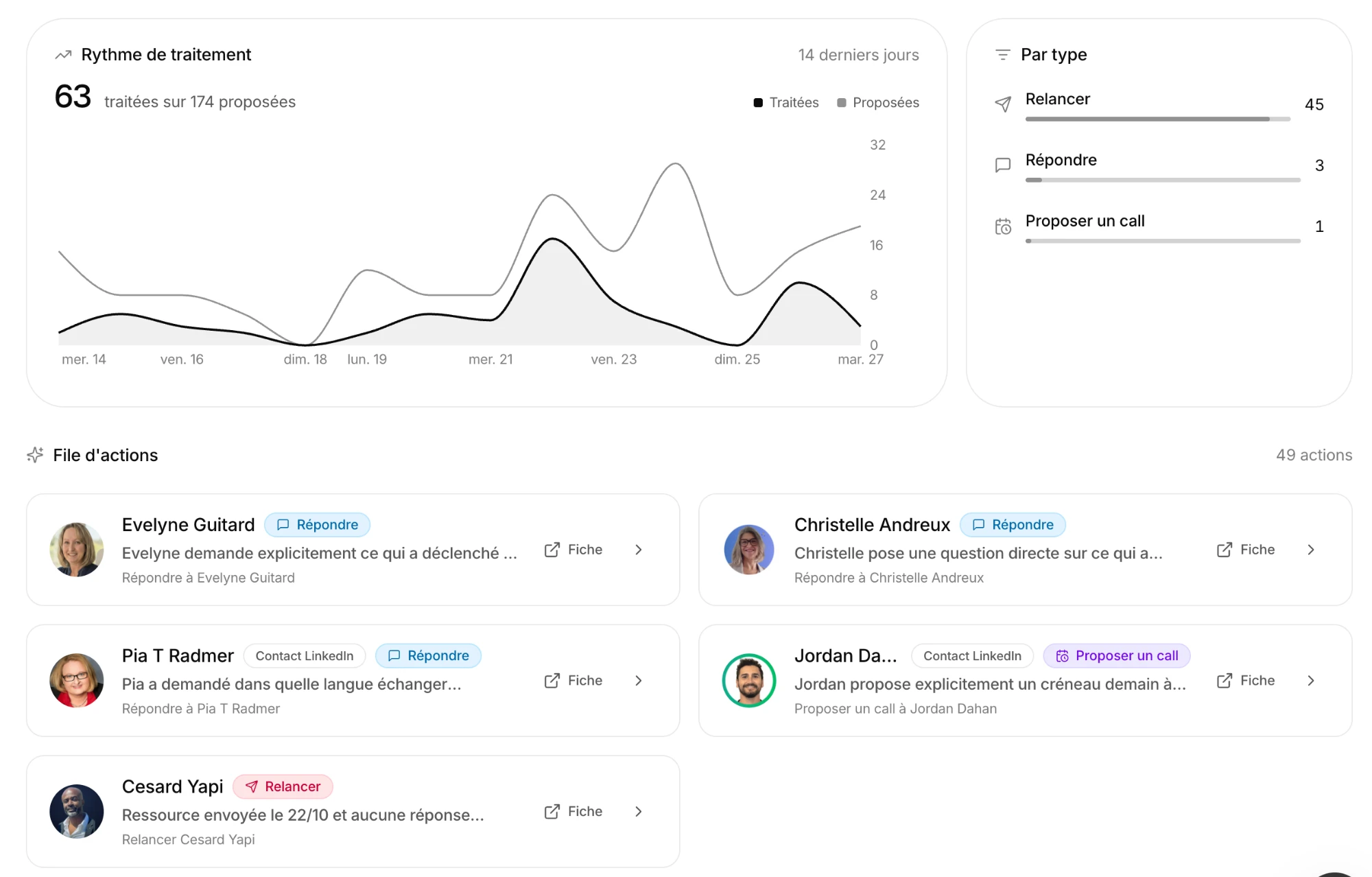
Invite, reply, follow up, offer a call: Reakly gathers the day's actions in a single queue and explains why each one matters now. You also track how fast you work through them, day after day.
02
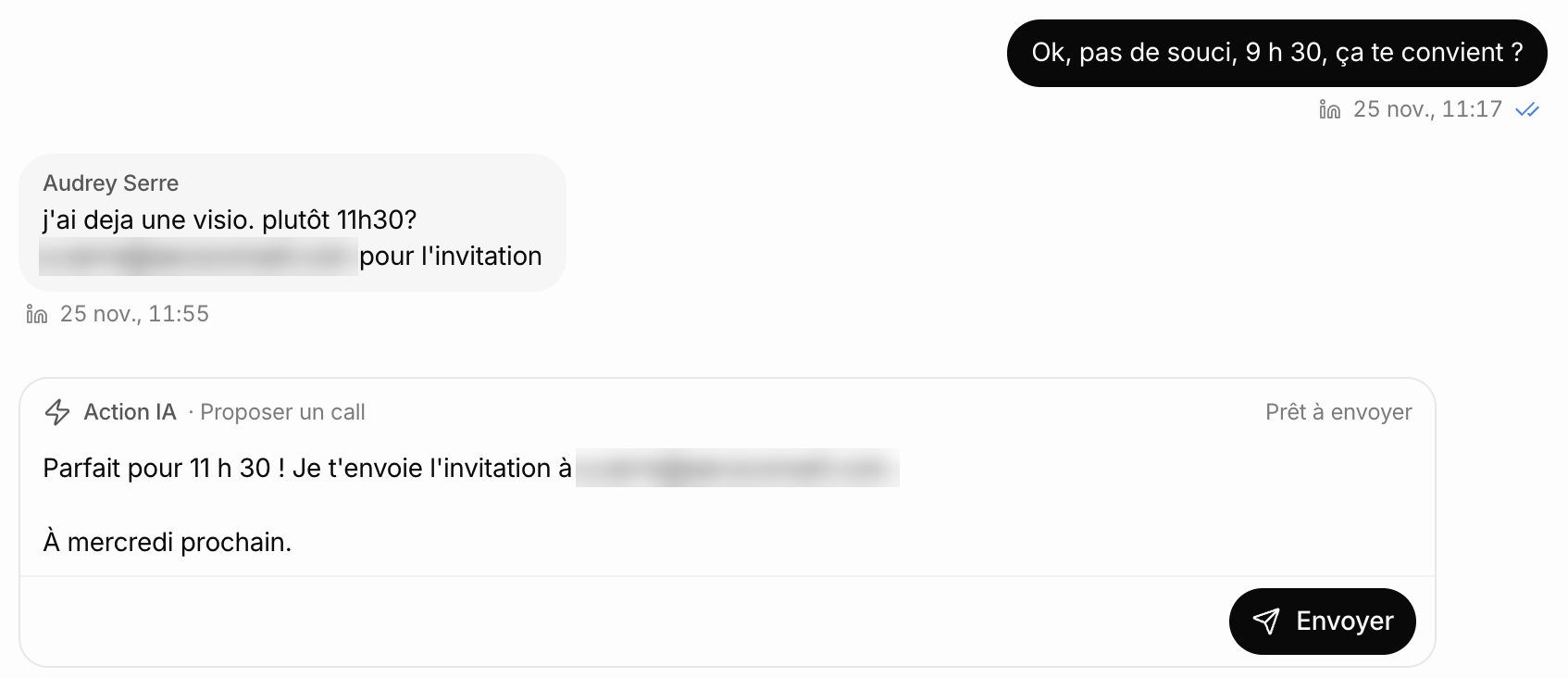
As soon as a new message arrives, Reakly rereads the conversation and suggests the right next step. Here, the prospect suggests 11:30: the reply confirming the slot is already written. A simple “thanks”, on the other hand, triggers nothing.
03
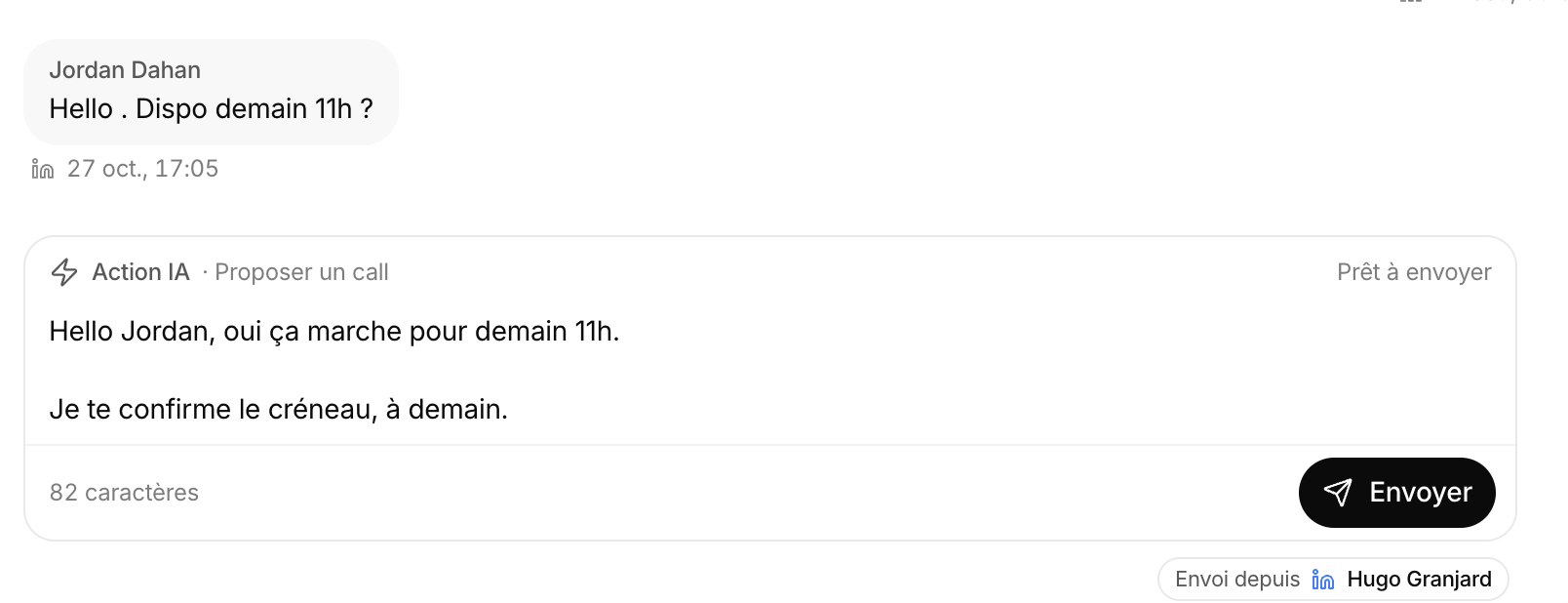
Each draft builds on the conversation and on your offer file, and aims at one thing: moving the exchange toward a meeting. You review, tweak if needed and send in one click.
04
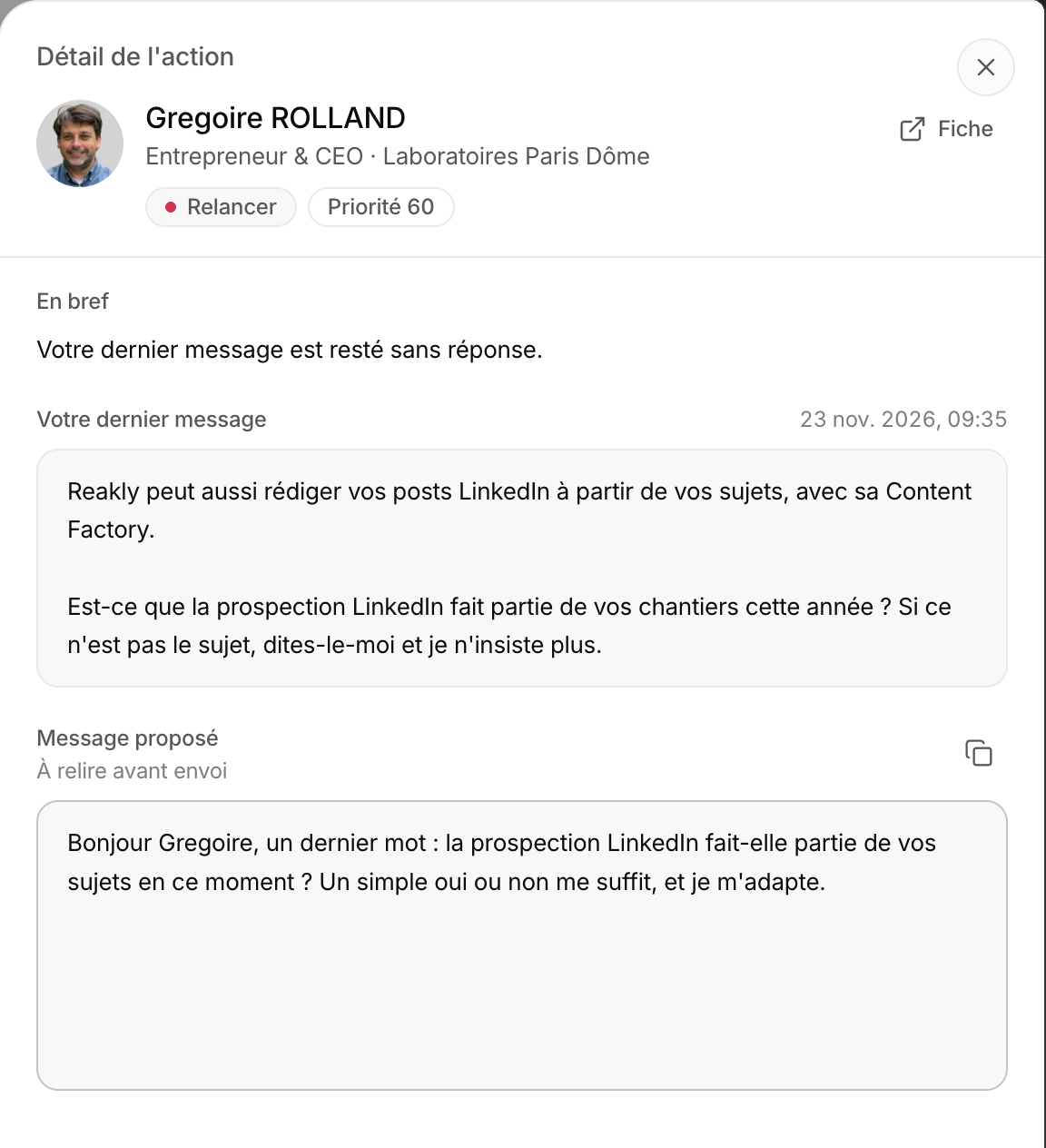
Your last message went unanswered? Reakly flags it at the right moment and suggests a short follow-up to review before sending. If the prospect asked to be contacted later, the follow-up waits for the date they gave.
05
AI Actions follow your prospects on every connected channel. On LinkedIn, the reply goes out from the account the prospect wrote to.
I’ll send you the deck right away.
Nov 25, 10:02
Claire Martin
Got it, thanks! Can we talk on Thursday?
Nov 25, 10:41
With pleasure Claire! Does Thursday 2pm work for you?
I’ll send the invite as soon as you confirm.
06
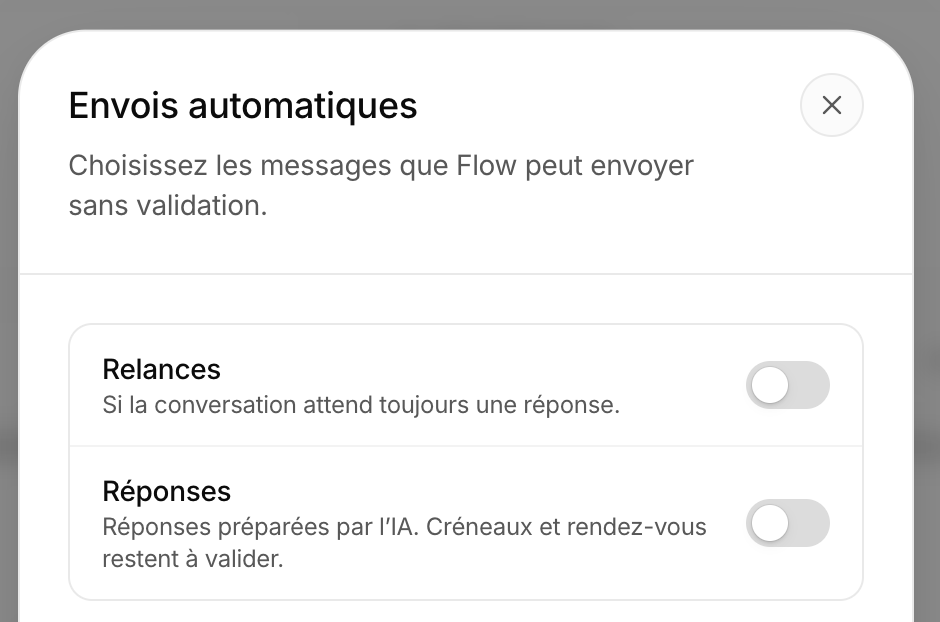
Choose what Reakly may send without your approval: follow-ups, replies, both or nothing. Time slots and meetings always stay yours to approve, and everything sent stays visible.
In detail
Swipe through the cards to see how AI Actions move your prospects toward a meeting.

“What I like about Reakly is the all-in-one approach. I can create LinkedIn content with AI and manage my prospecting without switching tools.”
Reakly has clearly accelerated my prospecting. Creating content is now much easier.
Audrey Ovize, B2B founder
Reakly helped me with prospecting and creating LinkedIn content to launch a new website about AI.
Francis Sandron, AI entrepreneur
FAQ
Essential answers on what AI Actions do, and what they never do without you.
Not by default: each AI Action comes with a ready message that you review, edit if needed and send yourself. In automatic sending, you can allow Reakly to send follow-ups, replies, or both on its own. Time slots and meetings always stay yours to approve.
The conversation with the prospect, their record and your offer file. The more detailed your offer is in Reakly, the more accurate the messages.
Four: invite a prospect, reply to a message, follow up on a conversation that went quiet, and offer a call when the prospect shows interest.
You can snooze it until tomorrow, ignore it or mark it as done. If the prospect writes again in the meantime, the action is recomputed with the new context.
Yes. They cover LinkedIn, plus email and WhatsApp for the prospects in your CRM.
Create your account and try every Reakly feature free for 7 days.
7-day free trial · Cancel anytime